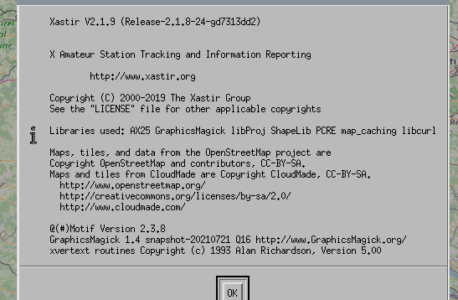
Most of Linux distributions have Xastir in their repositories , yet most of the time it is not the latest version or it is seriously outdated. Let’s see how we can build the latest version from sources.
Unfortunately Xastir’s documentation is quite vague on how to compile a working version of the software. They only mention a list of libraries which are needed and you have to go figure out which packages provide these libs. The steps highlighted here were all done on Raspbian but should work on any Debian derived distribution. At the end you should have a working Xastir , including ability to use AX25 stack and online maps like OpenstreetMap.
First things first, make sure we are up to date and install the necessary tools to retrieve the source code and compile.
sudo apt update
sudo apt -y upgrade
sudo apt install build-essential git autoconf automakeCode language: Bash (bash)
Now get the required libs to build Xastir. Most of this was found by try and fail and looking at the source code, not all libs might be actually required but with different variants of the libs I decided to include them all.
sudo apt install xorg-dev libdb-dev
sudo apt install libmotif-dev
sudo apt install libgeotiff-dev libtiff5-dev libgraphicsmagick1-dev libgraphicsmagick++1-dev
sudo apt install libproj-dev libshp-dev libpcre3-dev libice-dev libmotif-dev
sudo apt install wget libcurl4-openssl-dev libax25-dev
Now fetch the source code
cd ~
git clone https://github.com/Xastir/Xastir.gitCode language: Bash (bash)
Change to freshly clone Xastir source code repository and prepare the build:
cd Xastir
./bootstrap.sh
 mkdir -p build
 cd build
../configureCode language: Bash (bash)
The configure script will perform a lot of checks and at the end the output shall look something like this. I stil have not figured out how to include geotiff support, despite libgeotiff-dev being installed.
===========================================

xastir 2.1.9 has been configured to use the following
options and external libraries:

MINIMUM OPTIONS:
  ShapeLib (Vector maps) .................... : yes

RECOMMENDED OPTIONS:
  Xpm / Snapshots ........................... : yes
  GraphicsMagick/ImageMagick (Raster maps) .. : yes (GraphicsMagick)
  pcre (Shapefile customization) ............ : yes
  Berkeley DB map caching-Raster map speedups : yes
  internet map retrieval .................... : yes (libcurl)

FOR THE ADVENTUROUS:
  AX25 (Linux Kernel I/O Drivers) ........... : yes
  libproj (USGS Topos & Aerial Photos) ...... : yes
  GeoTiff (USGS Topos & Aerial Photos) ...... : no
  Festival (Text-to-speech) ................. : no
  GPSMan/gpsmanshp (GPS downloads) .......... : no

xastir will be installed in /usr/local/bin.
Type 'make' to build Xastir (Use 'gmake' instead on some systems).

Code language: Bash (bash)
Now start the build process
makeIf you are on a 4 core CPU like rpi 3 or 4 you can speed up the build process by using more CPU cores in parallel.
make -j3When done with build, install Xastir
sudo make install
sudo chmod 4555 /usr/local/bin/xastir
Now you can enjoy xastir by starting it
xastirTo update the source code, from within the Xastir directory: pull the latest code from GitHub and start at ../configure step. Typically This would look like this.
git pull -p
cd build
../configure
make
sudo make install
sudo chmod 4555 /usr/local/bin/xastir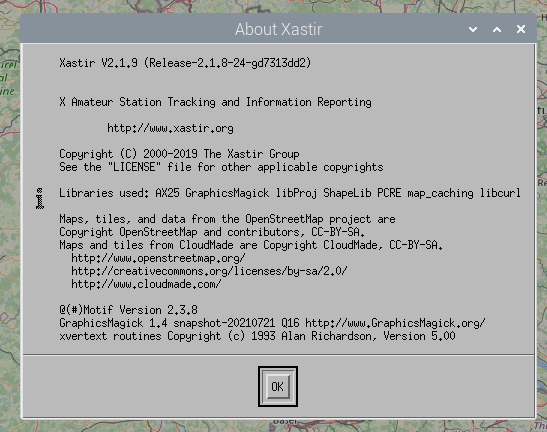

For what it’s worth, the reason you couldn’t get Geotiff support working is that Debian and its variants stuff the Geotiff headers into /usr/include/geotiff instead of /usr/include. You need to tell configure to add that directory to the C preprocessor’s search path:
../configure CPPFLAGS=”-I/usr/include/geotiff”
This sort of information is tucked away in the “Installation Notes” section of the Xastir wiki, which is hard to find and often out of date. And worse, xastir.org is having trouble and is often down lately. It’s down now.
The Xastir team is working on an updated wiki on Github so that the code and all of the documentation are in one place, instead of scattered across multiple places. You can find the new stuff at https://github.com/Xastir/Xastir/wiki.
Thank you Tom for the hint !